Key takeaways
- An AI policy tells staff which AI tools they may use, for what, and with which data, so they can use AI confidently instead of guessing or avoiding it.
- The core principles for arts organizations are human review, protection of patron and donor data, honest disclosure, respect for artists' rights and likeness, accessibility, and an approved list of tools.
- A good first policy is short, written in plain language, and reviewed regularly as tools and practices change.
- Artists' work, voices and likenesses should never be used with AI tools without clear, written consent.
- An AI policy is an internal guide, not legal advice, so have your counsel review anything that touches contracts, copyright or privacy law.
An AI policy for an arts organization is a short, plain-language guide that tells staff which AI tools they may use, for which tasks, and with what data. It should require human review of anything published, protect patron and donor data, respect artists’ rights and likeness, set disclosure rules, and name who owns it. One or two pages is enough to start.
Below, we walk through why a policy matters, the principles it should cover, and a starting template your team can adapt.
This article is general guidance, not legal advice. Have your own counsel review your policy, especially anything touching contracts, copyright, employment or privacy law.
Why does an arts organization need an AI policy?
Your staff are probably already using AI. Someone is drafting emails with ChatGPT, someone else is trying an image tool for a social post, and a colleague in development is wondering whether it’s all right to paste a donor’s giving history into a chat window.
Without a policy, people either guess or avoid AI entirely. Both are costly. Guessing risks putting sensitive data where it shouldn’t go, or publishing something inaccurate under your name. Avoiding AI means missing tools that could give a small team real time back.
A policy solves this by making the rules clear. It also gives you something concrete to share with your board, your funders and your artists when they ask how you use AI. If you are still deciding where AI could help first, start with our practical guide to AI for arts organizations.
What principles should an arts AI policy cover?
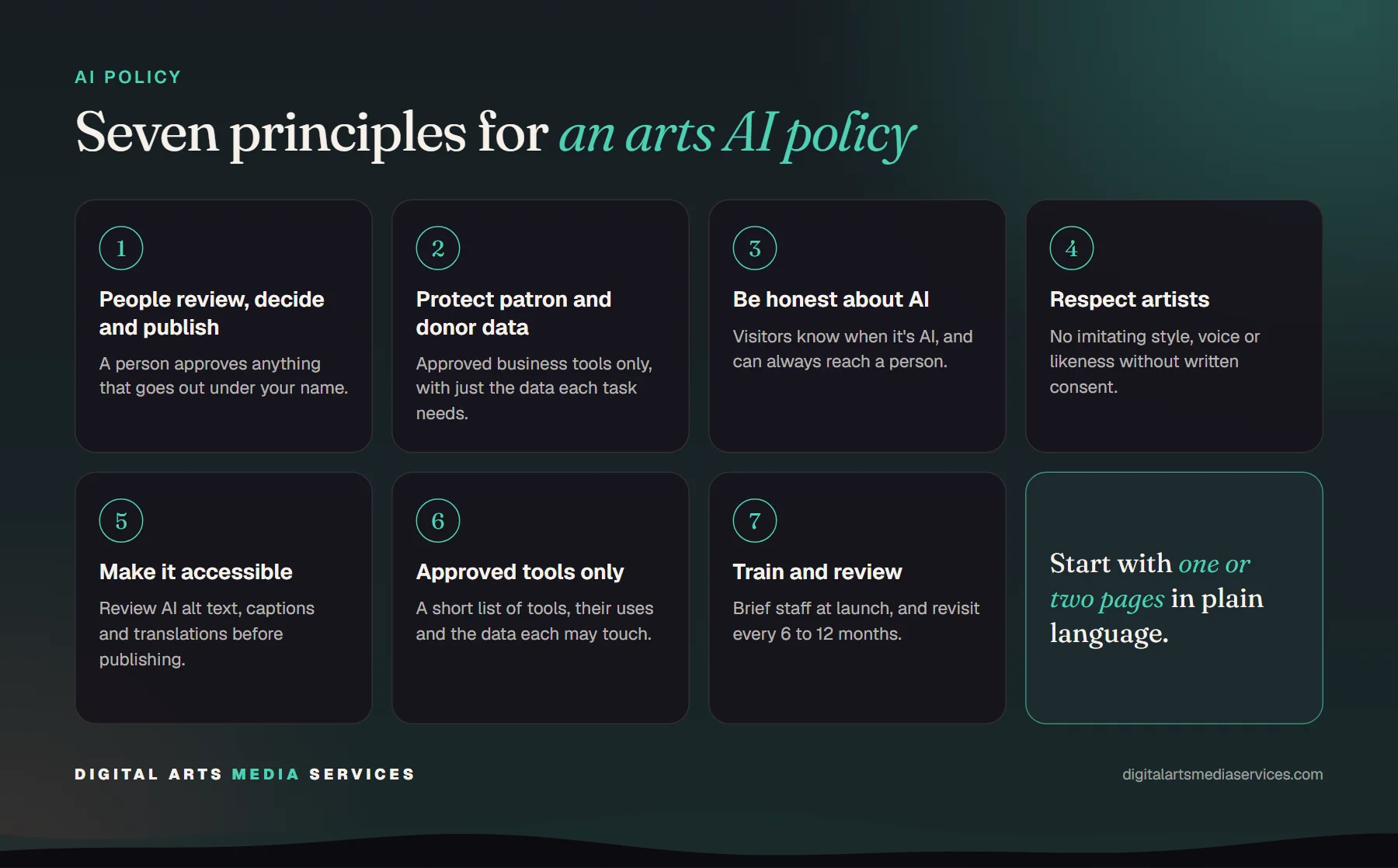
Most good AI policies for cultural organizations come back to the same handful of principles.
People review, decide and publish
AI may draft, summarize, sort and suggest. A person must review anything before it goes out under your organization’s name: social posts, emails, grant applications, press releases, signage and web content. The person who publishes it is responsible for it, whether or not AI helped.
Patron and donor data stays protected
This is the principle that matters most for most arts organizations. Your patrons and donors trust you with their contact details, purchase history and giving.
- Never paste personal data about patrons, donors, staff or artists into free consumer AI tools.
- Use only approved business tools. Business plans from major AI providers generally exclude your data from model training, but check the terms in your own contract.
- Give AI systems access only to the data each task needs, and prefer read-only access.
- Keep a log of what connected AI systems do in your databases.
If your data lives in a ticketing and CRM system such as Tessitura®, our privacy and security checklist for using AI with Tessitura data goes into more detail.
Be honest about AI
Disclose AI use whenever it matters to the person on the other end.
- Visitors should always know when they are chatting with an AI assistant, and should always be able to reach a person.
- Label images, video or audio that were generated by AI.
- Don’t present AI-generated text as a personal message from a named person who didn’t review it.
Respect artists’ work, voices and likenesses
This principle is specific to the arts, and it deserves care. Artists’ styles, voices, faces and performances are their livelihood.
- Don’t generate images, music, voices or text imitating a specific artist without their clear, written consent.
- Don’t upload artists’ recordings, images, scripts or scores to AI tools without permission and a clear understanding of how the tool uses them.
- Check your artist and licensing contracts for terms about AI, and add them when contracts are renewed.
- Commission artists for creative work. AI should support your team’s operations, not replace the artists you exist to present.
Make it accessible
AI can make your work more accessible, for example by drafting alt text, captions and plain-language summaries, or answering visitor questions in several languages. It can also introduce errors. Review accessibility content as carefully as anything else, and make sure AI tools on your website meet the same accessibility standards as the rest of the site.
Use approved tools only
Keep a short list of approved AI tools, what each may be used for, and what data each may touch. New tools should be reviewed before staff use them with organizational data. This is the single most practical part of the policy, because it answers the question staff ask most: “Can I use this?”
Train people and review the policy
Give staff a short orientation when the policy launches and when it changes. Tools change quickly, so set a review date, every six or twelve months is common, and name an owner who keeps the approved tools list current.
What does a simple AI policy template look like?
Here is a starting point. Adapt the wording, fill in the bracketed parts, and remove anything that doesn’t fit your organization.
[Organization name] AI Use Policy
Effective date: [date] · Owner: [name, title] · Next review: [date]
1. Purpose
This policy explains how staff, contractors and volunteers may use artificial intelligence (AI) tools in their work for [organization name]. Our goal is to use AI to save time and serve our audiences better, while protecting the trust of our patrons, donors, artists and community.
2. Approved tools
- Staff may use only the AI tools listed in the approved tools list, kept by [owner].
- To request a new tool, contact [owner]. Do not use unapproved tools with organizational data.
3. Data
- Do not enter personal information about patrons, donors, staff, volunteers or artists into any AI tool unless that tool is approved for that data.
- Do not enter confidential financial, legal or contract information into unapproved tools.
- Connected AI systems receive only the data each task needs, and their actions are logged.
4. Human review
- A person reviews and approves all AI-assisted content before it is published or sent.
- The person who publishes content is responsible for its accuracy.
- Check facts, names, dates and figures in every AI draft.
5. Disclosure
- Our website assistant identifies itself as AI and offers a way to reach a person.
- AI-generated images, audio and video are labeled.
6. Artists and creative work
- We do not use AI to imitate any artist’s style, voice or likeness without their written consent.
- We do not upload artists’ work to AI tools without permission.
- Creative commissions go to artists.
7. Accessibility
- AI-generated alt text, captions and translations are reviewed before publishing.
8. Questions and incidents
- Questions go to [owner].
- Report any accidental sharing of personal data with an AI tool to [owner] right away.
An approved tools list to go with it
The template refers to an approved tools list. A simple table works well:
| Tool | Approved uses | Data allowed | Not allowed |
|---|---|---|---|
| [Business AI assistant] | Drafting, summarizing, research | Public info, internal docs | Patron or donor personal data |
| [Website AI assistant] | Answering visitor questions | Public website content | Payment details |
| [Connected data assistant] | Reports for leadership | Read-only sales and attendance | Writing to records |
How do you roll out the policy?
- Draft it with the people affected. Include someone from development, marketing, box office, artistic and IT. They know where AI is already being used.
- Keep it short. If staff won’t read it, it won’t work.
- Get it approved. Leadership, and often the board, should sign off.
- Introduce it in person. A short staff session with real examples beats an email attachment.
- Review it on schedule. Update the approved tools list as you adopt new tools.
A clear policy also makes your first AI projects easier. When we build an AI chatbot or AI agents for an organization, the policy answers many of the setup questions: what data the AI may see, who reviews its work, and how it identifies itself. If development is one of your first areas, see our guide to AI for grant writing and donor research.
Need a hand?
If you’d like help shaping an AI policy, or putting it into practice with tools that follow it by design, we’re happy to talk. We’ve worked with arts organizations since 2009, and our first conversation is a free consultation. Get in touch.
Frequently asked questions
Does a small arts nonprofit really need an AI policy?
Yes, even a one-page one. Staff are likely already using AI tools, and without guidance they may put donor data into consumer apps or publish unreviewed content. A short policy protects your organization and gives staff confidence to use AI well.
What should an AI policy for an arts organization include?
At minimum: which tools are approved, what data may and may not be used with them, a requirement for human review of anything published, rules on disclosure, protections for artists' work and likeness, accessibility expectations, and who to ask with questions. Add a review date so it stays current.
Should we tell audiences when we use AI?
Be honest whenever it matters to the reader. Visitors should know when they are talking to an AI assistant rather than a person, and you should disclose AI-generated images or media. Routine help like spelling checks or first drafts that staff rewrite usually doesn't need a label.
Can we use AI to create images or audio in the style of our artists?
Only with the artist's clear, written consent, and ideally with terms that cover how the output may be used. Artists' styles, voices and likenesses are central to their livelihoods. When in doubt, don't, and ask your counsel about rights in your contracts.
Who should own the AI policy?
Name one person, often in operations or the executive office, to own the policy, keep the approved tools list current and answer questions. Involve representatives from development, marketing, artistic and IT when you write it, and have leadership or the board approve it.